Disaster Scenes That Feel Real Instead of Rendered
Spectacle is easy. Belief is hard. Believable disaster footage comes from human scale, an honest camera, and physics you can name.
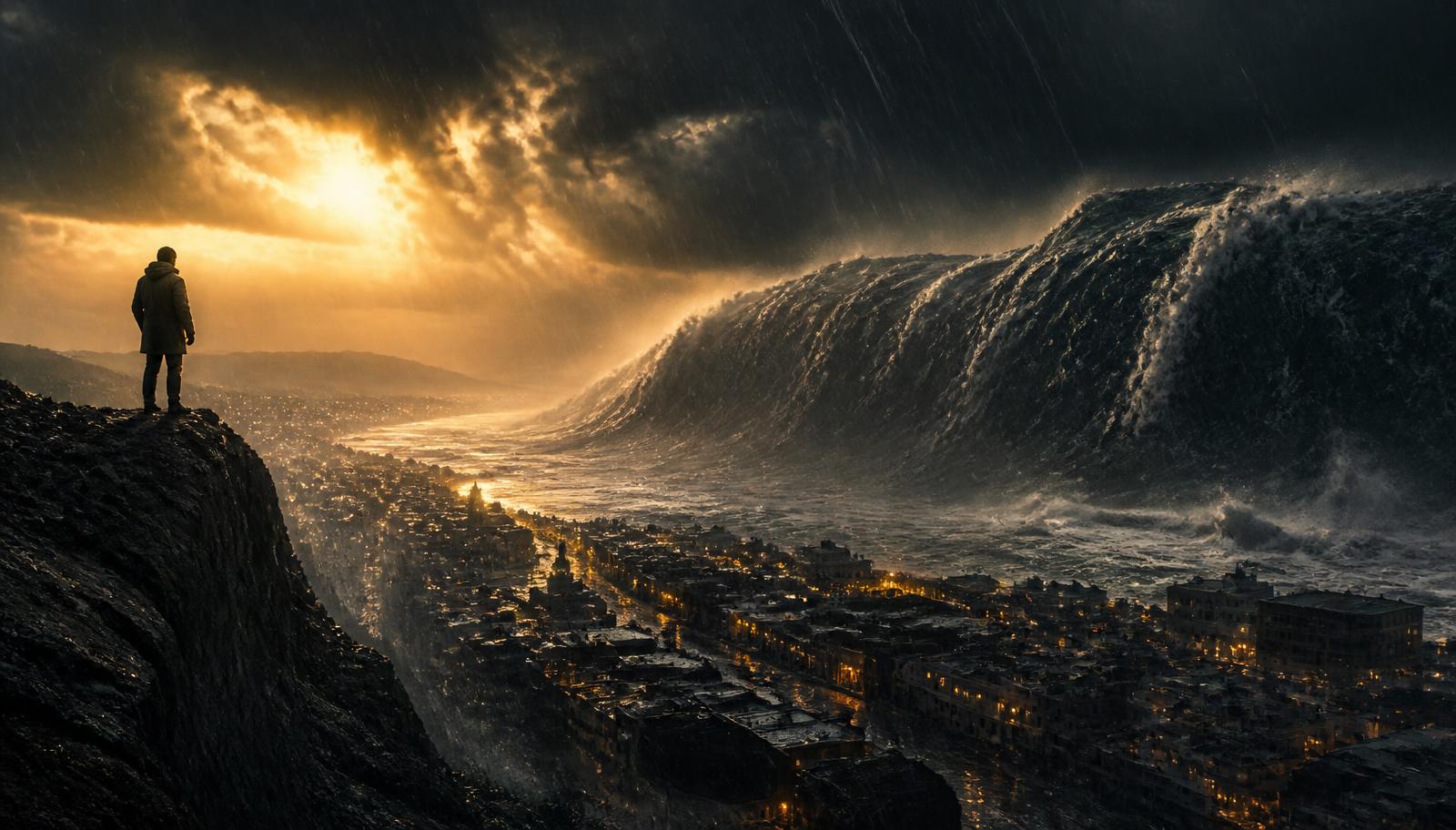
A wave the size of a building is not impressive on its own. It becomes impressive the moment there is a person in the frame who cannot outrun it. Disaster footage lives or dies on scale cues, and models will not invent them unless you ask. The AI disaster scene generator is built around exactly these cues.
Give the frame a human ruler
- A figure, a car, or a doorway in frame to measure the event against.
- Foreground objects that react, spray, debris, bending trees.
- A horizon line so the viewer knows where the ground is.
- Atmosphere between camera and event to establish distance.
Shoot it like news, not like a poster
The most believable catastrophe footage in existence was captured badly: shaky, mistimed, imperfectly exposed. Ask for an honest camera. A handheld frame that struggles to keep the event centered reads as real; a perfectly composed crane move reads as marketing.
A hooded figure on a cliff path turns as a mountain-high wave folds over a coastal town below. Camera: handheld at eye height, briefly losing and recovering the figure. Light: last minute of dusk, heavy rain, sodium street light in the town below. Physics: dense water with visible mass, spray torn sideways by wind, no slow motion.
Human ruler, honest camera, named physics.
Sound carries the weight
Scale is as much an audio decision as a visual one. Low-frequency pressure, distant structural cracking, and a moment of near silence before impact will do more for believability than another five percent of visual detail.
Cut the aftermath, not just the event
One shot of the wave, then one shot of a wet street with a single overturned chair. The second shot is what makes the first one true. Build disaster sequences in pairs: event and consequence. Both halves benefit from a deliberate camera, covered in camera movement in AI video.
Build an event and its consequence
Render the disaster beat, then render the quiet aftermath and cut them together.
Start creatingFrequently asked
The ReelVision AI editorial team writes about cinematic AI video production, prompt craft, and the workflows behind believable footage.
Try this in ReelVision AI
Everything in this article is one prompt away. Open the studio and render it with locked characters, native audio, and real cinematic motion.
Start CreatingCinematic AI craft, weekly
One email. Prompt breakdowns, camera language, and workflows that make AI footage look directed.
No spam. Unsubscribe in one click.
Related articles
 Trending
Best AI Video Prompts (2026): 100 Copy-and-Paste Prompts That Actually Work
One hundred original, tested AI video prompts across 20 categories, each with a copy button and a short explanation of why it renders cleanly instead of muddy.
 Trending
The Complete AI Video Prompt Guide (2026 Edition)
The seven-part framework we use to write AI video prompts that behave predictably, plus tested examples for cinematic, ultra realistic, anime, commercial, social, and YouTube Shorts work.
 Trending
The Anatomy of a Cinematic AI Video Prompt
Most AI clips fail for one reason: the prompt described a picture instead of a shot. Here is the six-part structure working directors use.